
.avif)
.avif)

“This meeting could have been an email”
Meetings still have an important place at work. But increasingly, many no longer require a live discussion. They're simply a way to deliver information, walk through updates, or share a recommendation. When that's the case, asking everyone to stop what they're doing and sit through a presentation isn't always the best use of anyone's time.
The shift toward remote and hybrid work has changed expectations around communication. Teams now span time zones, calendars are packed, and uninterrupted focus has become harder to protect. Organizations are looking for ways to reduce unnecessary meetings without sacrificing alignment. Asynchronous presentations might be the ideal (and practical) alternative.
A thoughtfully designed deck allows teammates to absorb information on their own schedule, at their own pace. Rather than replacing meetings altogether, async communications helps reserve live conversations for the moments that actually benefit from real-time interaction.
Presentation software has evolved alongside this shift. Today's decks can include video, interactive visuals, AI-powered design, and richer storytelling than the static slide presentations many people still associate with presentations. More and more teams are discovering that presentations don't always need a presenter to be effective.
Carefully tailor slides to communicate on your behalf
Sending a presentation isn't the same as sending an email or attaching a report. A presentation sits somewhere in the middle. It needs enough context to explain complex ideas, while remaining visual enough that readers can quickly scan and understand the story.
That's what makes asynchronous presentations unique. Every slide has to carry its own weight because there isn't a presenter standing beside it to fill in the gaps or explain what wasn't written down. The first step in developing a strong async presentation is kicking off with a solid narrative. It must introduce context, develop ideas logically, and finish with clear conclusions or next steps. The only difference is that the audience experiences that story independently. If your presentation requires paragraphs of explanation or extensive speaker notes to make sense, it probably wasn't designed for asynchronous viewing.
Optimize slide elements for clarity
Optimizing your slide headlines becomes particularly important in this format. Rather than labeling a slide "Revenue" or "Marketing Results," they should communicate the takeaway immediately. A headline like "Customer retention improved after onboarding changes" gives readers the conclusion before they begin examining the supporting data.
Without you there to fill in the blanks, context is critical. Teams might assume everyone reviewing a deck shares the same background knowledge, but that's rarely true. An async presentation should anticipate what readers need to know before introducing new information.
Visuals are already a key component of any presentation. For async decks, they take on an even greater responsibility. Charts, diagrams, screenshots, and graphics should simplify understanding instead of decorating the page. Readers need to be able to understand the point of a slide within a few seconds.
If your presentation requires paragraphs of explanation or extensive speaker notes to make sense, it probably wasn't designed for asynchronous viewing.
Clear thinking matters more than snazzy transitions
The main tradeoff between meetings and presentations is that creating a great async deck requires more intention upfront. Saving an hour-long meeting isn't much of a win if building the presentation takes half a day. To bridge that gap, you can integrate AI into your workflow. It becomes an assistant that, rather than replacing your expertise, removes many of the repetitive tasks that slow presentation creation.
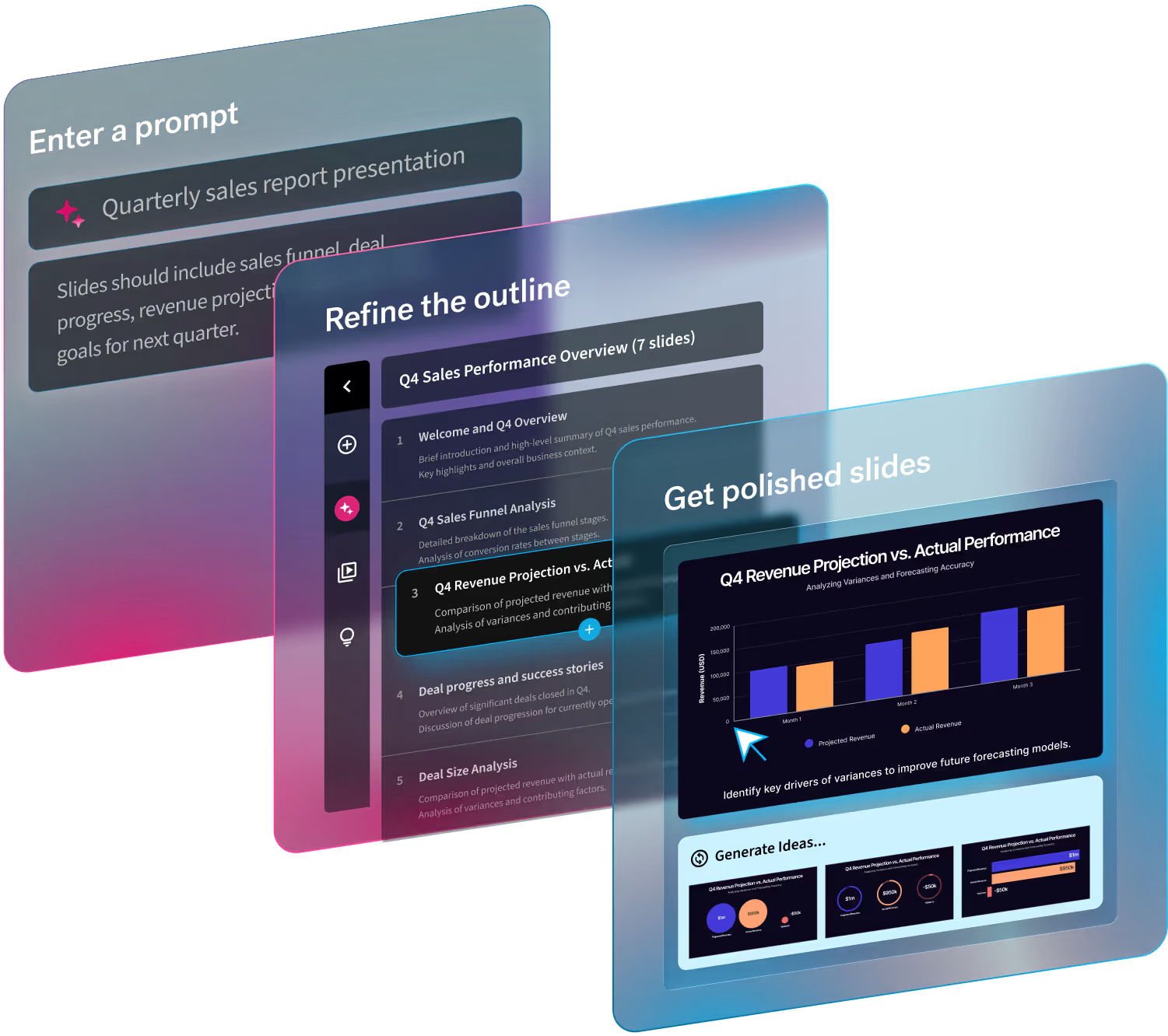
Your deck workflow should start before you open the first slide. AI can help organize research into a logical outline, identify the strongest supporting points, or suggest a clearer sequence for your narrative. The Create with AI Workflow turns your prompts and supporting materials into a customizable outline. Instead of wrestling with a blank presentation, you're refining an initial structure that's already headed in the right direction.
Once you have opened a new deck, resist the temptation to compensate for the lack of a live presenter by adding more text. Readers shouldn't encounter walls of copy simply because they'll be viewing the presentation independently. Visual hierarchy, concise copy, and thoughtful layouts remain just as important in asynchronous presentations as they are during live delivery.
Beautiful.ai's Smart Slides also help reinforce these best practices by automatically maintaining clean layouts as content changes, allowing teams to spend more time refining the message instead of adjusting formatting.
For a final check, review your deck through the eyes of someone seeing it for the first time. Where might they hesitate? What questions would naturally arise? Those moments often reveal opportunities to add context before confusion ever happens. Anticipating questions slide by slide creates a smoother experience than saving answers for a Q&A session that may never happen.
Prioritize better communication, not fewer meetings
Replacing a meeting with a presentation isn't simply about reclaiming time on everyone's calendar. It changes how information moves through an organization.
Instead of coordinating schedules across departments or time zones, presentations can be shared as soon as they're ready. Recipients review them when it fits their workload, rather than interrupting deep work to attend another meeting.
Teams no longer need to repeat the same presentation multiple times for different stakeholders. A single well-crafted deck can reach leadership, cross-functional partners, agencies, or distributed teams without requiring multiple live sessions.
Consistency improves alongside scalability. Live presentations naturally vary from one delivery to the next. Details get skipped, explanations evolve, and important points can be forgotten altogether. An asynchronous presentation becomes a source of truth, reducing variation while giving every viewer access to the same information.
Perhaps most valuable is the freedom readers gain after the presentation ends. Instead of racing through slides in real time, they can pause on complex information, revisit earlier sections, compare data points, or return to the deck days later when new questions arise. Thoughtful review is difficult to maintain during a live presentation and nearly impossible once a meeting ends.
For teams using Beautiful.ai, features like presentation sharing, viewer analytics, and video bubbles extend that flexibility even further. Presenters can add recorded context where it adds value while still allowing viewers to move through the presentation at their own pace, creating a more engaging experience without requiring everyone to attend the same meeting.
Use desired outcome to determine the ideal format
Asynchronous presentations aren't a replacement for every meeting. Some conversations benefit from immediate discussion, while others are stronger when people have time to absorb information before responding. The key is choosing the format that fits the objective.
Async presentations work especially well when the primary goal is to share information. Quarterly updates, project status reports, product documentation, and early project proposals are all easier to consume when people can review them on their own schedule.
They're also well suited for early-stage planning. Sharing a proposal asynchronously gives reviewers time to think through ideas, identify potential risks, and gather thoughtful feedback instead of reacting on the spot. The discussion that follows is often more productive because everyone starts from the same foundation.
However, live presentations remain the better choice when the conversation itself creates value.
Decision-making usually benefits from real-time dialogue, where questions can be answered immediately and tradeoffs debated together. Brainstorming sessions, customer presentations, negotiations, and relationship-building conversations also rely on the energy and nuance that come from interacting with people in the moment.
The strongest communication strategies use both approaches together. An async presentation can provide the context before a meeting, allowing the live conversation to focus on discussion instead of information transfer.
Tradeoffs are manageable when communication is intentional
Asynchronous communication isn't perfect. It simply introduces a different set of challenges than live meetings.
Without real-time interaction, presenters lose the ability to clarify confusion as it happens. A reader may interpret a chart differently than intended or have questions that weren't anticipated during creation.
It's also harder to gauge reactions. During a live presentation, facial expressions and body language provide immediate feedback about whether an idea is resonating or causing concern. That context largely disappears when someone reviews a deck independently.
There's also the possibility of misinterpretation. No presentation can anticipate every perspective or objection, especially when audiences have different levels of familiarity with the subject.
Fortunately, these challenges don't require abandoning asynchronous communication. They simply require building a feedback loop around it.
Rather than treating the presentation as the end of the conversation, treat it as the beginning. Include clear next steps, invite questions through a shared channel, or schedule a shorter follow-up meeting focused entirely on discussion. Readers arrive having already reviewed the material, making those conversations shorter, more focused, and more productive than traditional presentation meetings.
This approach preserves the flexibility of asynchronous communication while ensuring people still have opportunities to clarify assumptions and align on decisions.
Better presentations are becoming a core workplace skill
As organizations adopt more asynchronous communication, the expectations placed on presenters naturally evolve. When information is delivered through self-guided presentations instead of live narration, the quality of written communication becomes far more important.
AI can help accelerate that process, but it works best alongside human expertise. Instead of replacing judgment, AI supports outlining, refining language, reorganizing content, and identifying gaps in the story. That allows professionals to spend less time formatting slides and more time strengthening the ideas behind them.
As more organizations embrace hybrid work and distributed collaboration, these skills will become increasingly valuable. The professionals who communicate clearly without requiring constant meetings will help their teams move faster while protecting time for deeper, more strategic work.
The avenues of effective communication have changed
Presentations have never been limited to conference rooms. Technology has simply caught up with that reality. These days, not every audience benefits from consuming information at the same time or at the same pace.
That doesn't diminish the value of live presentations. Some conversations always deserve the energy, spontaneity, and collaboration that only real-time discussion can provide.
But many don't.
Asynchronous presentations give teams another way to communicate with clarity that reduces scheduling friction, makes information easier to revisit, and allows meetings to focus on the conversations that genuinely require people to be together.
Ready to replace more status meetings with presentations that actually get read? Create polished, self-guided decks faster with Beautiful.ai, so your team can spend less time coordinating calendars and more time moving work forward.
Try it free for 14 days.

.avif)

.avif)

.avif)

