



When choosing an AI presentation tool, look for five things: the quality of the slides it generates from a prompt, how easy those slides are to edit afterward, brand controls that keep every deck on style, export options like editable PowerPoint files, and collaboration features for your team. Dozens of tools now generate slides from a prompt, including Beautiful.ai, Gamma, Canva, and Microsoft's Copilot in PowerPoint, and they differ widely in how much cleanup the results need. This guide covers what AI can actually do in a presentation and how the top AI presentation makers compare.
What should you look for when choosing an AI presentation tool?
Judge any AI presentation maker on five criteria:
• Output quality you can actually use. The real test is how many edits a generated deck needs before you would present it. Ask the tool for a deck on a topic you know well and count the fixes.
• Editability after generation. Some tools produce slides that break the moment you change them. Beautiful.ai builds every slide on Smart Slide layouts, which automatically adjust the design as you add or remove content, so edits keep the deck polished.
• Brand controls. If the deck will represent your company, check whether the tool locks in your fonts, colors, and logo across every slide or simply suggests them.
• Export and sharing options. If stakeholders expect a .pptx file, confirm the tool can export an editable PowerPoint file. Beautiful.ai can. Also check for shareable links and PDF export.
• Collaboration and pricing. For teams, look for a shared workspace, commenting, and per-seat pricing that scales with your headcount.PowerPoint with Copilot is the safe pick if your organization already runs on Microsoft 365. Canva makes sense when slides are one part of broader design work. A dedicated AI presentation maker like Beautiful.ai or Gamma is the strongest choice when the generated deck has to look professionally designed and you want the layout work handled for you.
What is an AI presentation?
An AI presentation is one where artificial intelligence handles part of the creation or delivery work for you. In practice, AI can draft an entire deck from a single prompt, design and rearrange slide layouts as you edit, generate custom images, rewrite or shorten text, and produce speaker notes. Some tools also transcribe spoken presentations, translate content for global audiences, and recommend related material to your audience. Here is what each of those capabilities looks like in practice.
Content generation
AI algorithms can assist in generating content for presentations by analyzing large datasets, identifying patterns, and generating insights or recommendations. This helps people expedite their brainstorming process by generating entire decks that can be customized to fit their business or story. Content generation also includes creating individual slides, reworking or drafting text, producing unique images, and more.
Design assistance
Tools with artificial intelligence can provide design suggestions by analyzing visual elements, layout, and aesthetics. They can recommend color schemes, font choices, image selection, and slide layouts to ensure visually appealing and professional-looking presentations, for even the most entry-level designers.
Speech recognition and transcription
AI-powered speech recognition technology can automatically transcribe spoken words into text during live presentations or video recordings. This can save time on manual transcription and enable easy access to the presentation content for future reference.
Language translation
AI language translation services can be integrated into presentations to provide real-time translation of spoken or written content. This helps presenters communicate with multilingual audiences and makes presentations more accessible to a global audience, without needing an in-house translator.
Natural language processing
AI-driven natural language processing can be used to analyze audience feedback, questions, or comments during a presentation in real-time. It can help identify trends, sentiment, or key areas of interest, enabling presenters to modify their content or address specific concerns immediately.
Interactive chatbots
Chatbots can be integrated into presentation softwares to receive and respond to prompts for content generation. Similarly, they can provide interactive experiences for the audience. These chatbots can answer questions, provide additional information, or engage in dialogue, enhancing the engagement and interactivity of the presentation.
Smart Recommendation Systems
AI algorithms can analyze audience preferences, behavior, or feedback to provide personalized recommendations for related content or resources after the presentation. This can help presenters extend the impact of their presentations and provide additional value to the audience.
The top 6 AI presentation makers
If AI feels overwhelming, and you're not sure how to fit it into your presentation workflow, start here. These 6 AI presentation makers each take a different approach, and the right one depends on how much design control, brand consistency, and export flexibility you need.
Beautiful.ai
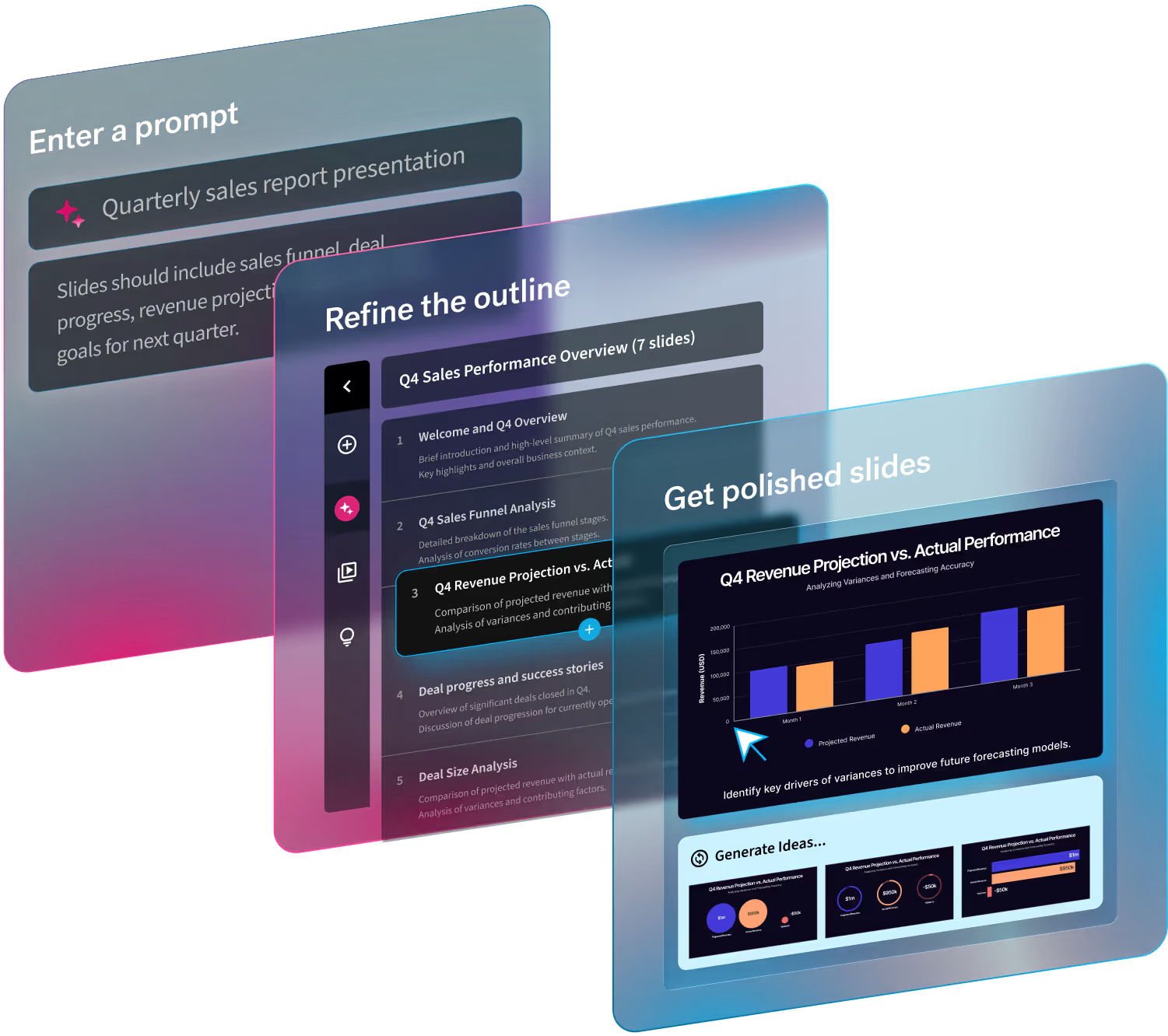
Beautiful.ai pairs generative AI with automated design rules. Describe the deck you need in a prompt, add context by uploading documents, webpage URLs, or long-form text, and review the generated outline before it becomes slides. Every slide is built on a Smart Slide layout, so when you edit the content the design adjusts automatically. The deck stays polished. Themes and brand controls keep every presentation on brand, teams can work together in a shared workspace, and finished decks export as editable PowerPoint files. It is the strongest choice when the deck has to look professionally designed without a designer involved.
Gamma
Gamma is an AI presentation software that allows users to create visually appealing and engaging presentations with minimal effort. It leverages AI technology to automate the formatting and design work, making it easier for users to focus on their content. With Gamma, users can simply start writing their ideas, and the AI algorithm takes care of organizing the structure, selecting appropriate visuals, and creating a professional look. This AI-powered tool aims to simplify the process of creating presentations and help users save time on design tasks.
Powerpoint
Microsoft PowerPoint brings generative AI into its familiar presentation software with Copilot. Users can generate a deck from a prompt or source file, then use AI to rewrite content, reorganize slides, and create visuals. Because everything stays in PowerPoint, teams retain the deep editing controls and native .pptx compatibility many businesses already rely on. Copilot can also work with organizational templates and branding to help generated presentations follow an established visual identity. PowerPoint with Copilot makes the most sense for organizations already working in Microsoft 365 that want AI assistance without changing presentation tools.
Canva
Canva combines AI presentation generation with the broader design toolkit many marketing and creative teams already use. Magic Design can turn a prompt into a presentation draft, while Canva's AI tools help generate and rewrite copy, create images, and explore different designs. Brand Kits let teams apply company fonts, colors, and logos, and Canva's large library of templates and visual assets gives users plenty of room to customize the result. Presentations can also be exported to PowerPoint, although some formatting and interactive elements may not translate exactly. Canva is a strong fit when presentations are one part of a larger visual content workflow.
Google Slides
Google Slides now pairs its collaborative presentation editor with Gemini for AI-assisted creation. Users can generate editable presentations from prompts, bring in context from Google Drive, and use Gemini to create or refine content and visuals. The generated deck stays inside Google Slides, where teams can edit together in real time, comment, share, and use familiar Workspace workflows. Slides offers plenty of manual editing flexibility, but it does not automate layout changes in the same way as a design-first platform like Beautiful.ai. It makes the most sense for teams already centered on Google Workspace that prioritize collaboration and easy access.




.avif)
.avif)
